quick-cards
Chrome extension to export Quizlet flashcards quickly
QuickCards
Chrome extension to export Quizlet flashcards quickly.
Copy to clipboard, download as TXT/CSV/JSON, or generate printable PDFs — all from a clean dark-themed popup.

Features
- No login required — fetches cards directly via Quizlet's web API, no account needed
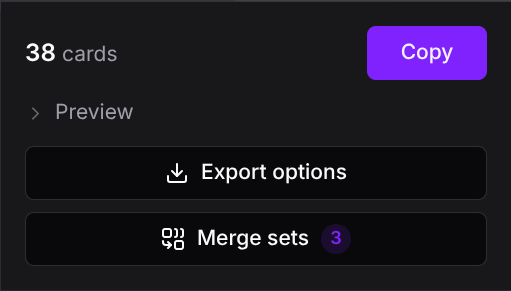
- Merge sets — combine cards from multiple open Quizlet tabs into a single export, with automatic duplicate removal
- Instant copy — one click from the floating banner or popup
- Export formats — TXT, CSV, JSON, PDF vocab list, PDF printable flashcards
- Customizable separators — pick preset or type your own for term-definition and card separators
- Floating banner — auto-appears on Quizlet set pages with card count and quick copy
- PDF vocab list — formatted table with title, numbering, and alternating row tints
- PDF flashcards — 2x4 grid, double-sided (terms front, definitions back mirrored for printing), auto-wrapping text with syllable-based hyphenation
- Settings persistence — separator preferences saved across sessions
Screenshots
Floating banner
Appears automatically on Quizlet set pages (bottom-right).

Export screen
Separator combos, clipboard copy, and all download options.

Merge sets
Combine cards from multiple open Quizlet tabs into one export.
| Main screen | Merge screen | Merged export |
|---|---|---|
 |  |  |
PDF — Vocab list
Formatted table with violet header and alternating row tints.

PDF — Flashcards
Double-sided 2x4 grid with cut guides. Print, fold, study.

Install
From a release
- Download the latest
quick-cards-v*.zipfrom Releases - Unzip the archive
- Open
chrome://extensions, enable Developer mode, and click Load unpacked - Select the unzipped folder
From source
-
Clone the repo and install dependencies:
git clone https://github.com/ImGajeed76/quick-cards.git cd quick-cards bun install -
Build the extension:
bun run build -
Load in Chrome:
- Open
chrome://extensions - Enable Developer mode
- Click Load unpacked and select the
dist/folder
- Open
Development
# Build extension (output: dist/)
bun run build

# Dev preview (Vite, opens localhost:3000)
bun run dev

# Generate test PDFs (output: test/output/)
bun run test:pdf
Releasing
Pushing a version tag triggers a GitHub Actions workflow that builds the extension, zips it, and creates a GitHub Release with auto-generated notes.
git tag v1.1.0
git push origin v1.1.0
The manifest version is automatically patched to match the tag. Pre-release tags (e.g. v2.0.0-beta.1) are marked as pre-releases.
How it works
QuickCards fetches flashcard data directly from Quizlet's web API (/webapi/3.4/studiable-item-documents) — no login or account required. It automatically paginates to retrieve all cards, even for large sets. If the API is unavailable, it falls back to scraping Quizlet's embedded __NEXT_DATA__ JSON.
Tech stack
- Bun — build, bundle, test
- TypeScript
- Alpine.js (CSP build) — popup interactivity
- Tailwind CSS v4 — styling
- jsPDF — PDF generation
- hyphen — syllable-based word breaking for PDFs
- Chrome Extension Manifest V3
License
About quick-cards
What is quick-cards?
quick-cards is Chrome extension to export Quizlet flashcards quickly. It is built with TypeScript, HTML, CSS and maintained by Oliver Seifert.
What language is quick-cards written in?
quick-cards is primarily written in TypeScript (55% of the codebase). Other languages used include HTML (42%), CSS (3%).
What license does quick-cards use?
quick-cards is released under the MIT license.
Most Similar to quick-cards
- pdfy (project) — similarity: 10%
- Syrup (project) — similarity: 7%
- tango (project) — similarity: 6%